One less decision.One more thing done.
A personal assistant for the things on your mind.
We’re building Nod to turn loose intentions into clear, doable next steps. Tell it what matters, in iMessage. It helps with the planning, so your attention can go where you want it.
A little more about early accessFree beta · In development
Sometimes, the hard part is knowing where to begin.
“Start exercising again.” “Get the flat sorted.” “Make time for Dad.” You don’t need to turn the thought into a tidy list first.
Nod asks the useful question, breaks the work into steps, and makes the next one specific. What to do. Where to start. What’s enough for now.
You can start with , , , or .
YouI keep meaning to start exercising again.
NodNext 20 minutes: a walk around the block. Comfortable shoes are enough.
A small action, with a clear place to begin.
Fictional examples of the planned experience. Tasks and times are illustrative.
The plan in the background.
Your attention on your life.
Nod keeps the bigger picture: your goals, fixed plans, and the steps in between. Ask for the whole day, or just the next move.
When life changes, Nod helps rearrange the plan. A short check-in leaves you a place to start tomorrow.
There’s room for a walk, an unhurried meal, or time with someone you love.
A little of the plan can stay in view, too.
After planning, Nod will offer a dated wallpaper of the priorities and fixed times you confirm. An optional way to keep the anchors close.
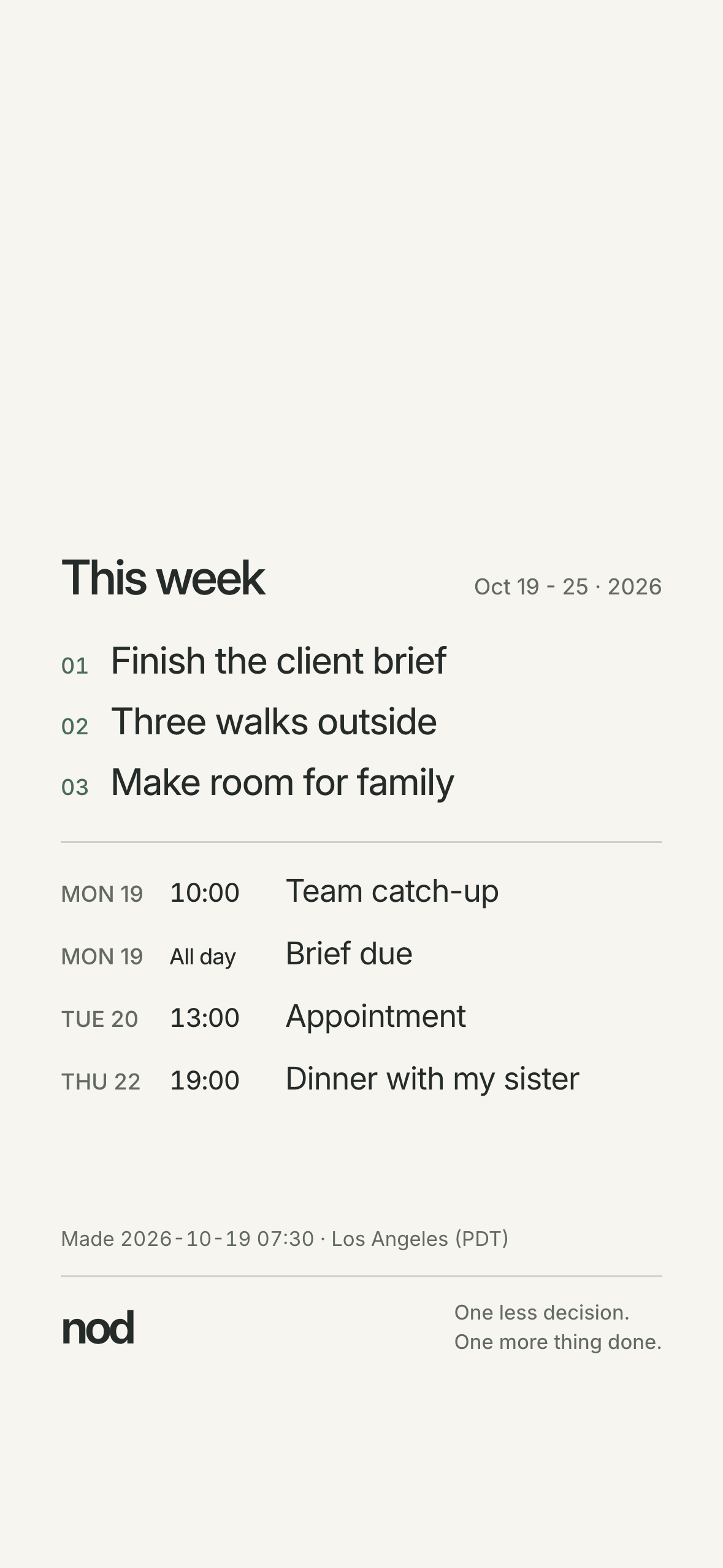
Where we’re going · beyond the first beta
And, in time, a little more off your plate.
Over time, we want Nod to carry things through, too: booking a table, arranging a meeting, taking care of an errand.
You’d review the exact action in one link, approve it, and let Nod handle that step within the limits you set. A personal assistant’s help, with your say-so.
What would an approval look like?
Future design example · no request is sent
“A table for two on Friday at 7. Here’s the restaurant, the price, and the cancellation policy. Shall I book it?”
Before anything happens, you’d see the actual place, time, terms, and any charge. You approve that action; changed details need a new approval. If the outcome is uncertain, Nod checks rather than trying again blindly.
For the rest of us.
You shouldn’t need a whole staff to feel supported. We’re starting with a small, free beta.
Early access is on its way.
The waitlist isn’t open yet. This preview doesn’t collect your email.
What can I use Nod for?
Work, life, and the things that sit between them: a project to finish, a move to plan, a meal to choose, time for someone you care about. The first beta is being built around planning, concrete next steps, replanning, small decisions, and a brief end-of-day check-in.
Can it book or send things for me?
That’s part of the longer-term direction. The first beta will not make reservations, send messages to others, or make payments for you. Future delegated actions would require your explicit approval of the actual details; we aren’t offering them yet.
How does it fit into my day?
Nod starts as a contact in iMessage. A web page will handle sign-up and permissions. You can ask for the full plan or just the next move. You’ll be able to ask for a quieter day or pause it. There’s no app to download.
Is it available yet?
Not yet. We’re building a small, free beta. This is a preview of the intended experience. Sign-ups will open once the core service, privacy policy, and consent flow are ready.
What happens to my data?
Before you connect anything, we’ll explain what Nod reads, why, and who processes it. Controls to see, forget, and delete what it remembers are part of the beta plan. The working process and privacy policy will be published before invitations. This preview collects no email and has no analytics.